In this tutorial we’re going to learn how to create and use our own methods.
So to get started go ahead and close our TypesandVariables.java we end up open, go to the default package right click select new and class.
We’re going to call this class methods and could finish as usual we’ll begin by creating our main method by typing the word main, press control-spacebar and hit in enter
I think it would be easiest to learn methods by example. So I’m going to create one here and by going after the closing curly braces with the main method and typing:
Static void Say hello world. Parentheses open curly brace.Hit enter and Eclipse will automatically close the curly brace for you. Now we’ve created a skeleton of a method called Say hello world.

Inside of this method I’m going to put a system that out that print line in quotes say hello world.So now I’ve created a method that when called will print Hello World to the console.
So the way we call a method is inside of our main function we type the methods name.
SayHelloWorld. Followed by parentheses and a semi-colon. Now we were to run it will see that hello world is being printed to the console.

So what happens here is that the main method begins running.
It gets to this line but then jumps down into the say hello world method and executes all the code inside of it so it will run the system.out of print line: hello world and after that it will return back up to the main method and begin executing whatever is below the say hello world call. In our case right now and nothing is there so the program is finished.
We could however copy this line and paste it a few times. And the method would be called that many times.
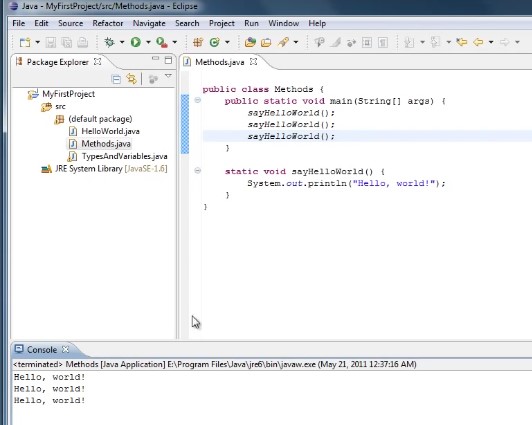
So the key thing to understand here is that when a method runs the code jumps down to where the method is defined, executes the code inside of it then returns back to where it was.
In our case it would return here go down to the next line run the method again return go to the next line run the method again return and we’re done.
Now that’s sort of the most basic example of a method. All it does is break your code up into fragments where each method has a certain job to do.
That can be very handy because it makes your code more organized and more readable but methods are more powerful than that. We can also create a method that takes some data with it when you call it.
So an example of that would be after our main method I’m going to tell you a static void.
Say hello to parentheses and this time inside of the parentheses.I’m going to type String name opening curly brace. Hit enter and it should close it for you.
Now inside of this method I’m going to type syso quotes.Hello comma space outside of the quotes plus name.

Now what happens when we call the say hello to function it expects that you pass some data along with it.
So going do expect a string and it’s going to call that string name.
And when the method runs we’re going to print out Hello class that name.
So up here has an example when to delete a couple of those say hello world and type.
Say hello to Charlie and go ahead and run it and we’ll see that Hello Charlie has been printed to the console.

You could also say Say hello to John but it seemed like all at the end and run that now we’ll see that the first time it runs it says Hello Charlie and the second time it runs says Hello John.

And that makes sense because when the program executes this line it goes to the say hello to method and Charlie is passed in and when to execute this line it goes to the say hello to method. But this time John has passed in so we can call a method and has different data to it every time.Just like our system that out our print line this is actually a method call and we’ve been using it all along.
Now not only can methods take in data as parameters but can also return data back to you. So an example of this would be after our main method I’m going to type static int return five parentheses opening really raise it enter. Now I’m going to type the keyword return to space 5. So I call in now and this method runs.
It’s going to return a value to us with type returned is indicated in the function here.
By the key word and the key word void in these functions means that the function has no return value.
So we wanted to see our return 5 and action you could say print x equals and then call that function return 5 for the CS semi-colon.
Now we can do a system that out the print line on X and run it and we’ll see that 5 has been printed to the console.

So now you’ve seen three different ways that methods can be used. Let’s put comments on our code so we can remember how it works.
So for return five we’re going to say
//this method returns and type with the value of 5
for say hello to I’m going to say
// this method will say hello to whatever name is passed when called in
for this method I’m going to say
//this method simply says hello world.
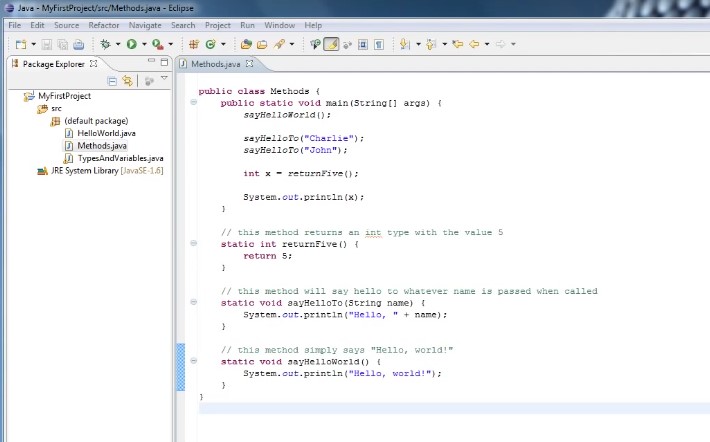
So one of the key things to understand about how methods work is that they can return values as is the case with our return five method. They can take in some data and work with their data as is the case with this say hello to method which takes in a string parameter called name, or it might not return a value or taking any data as is the
case with our say hello world method.
Just remember that anytime you see code that looks like this a name followed by a parentheses; this code is calling a method.
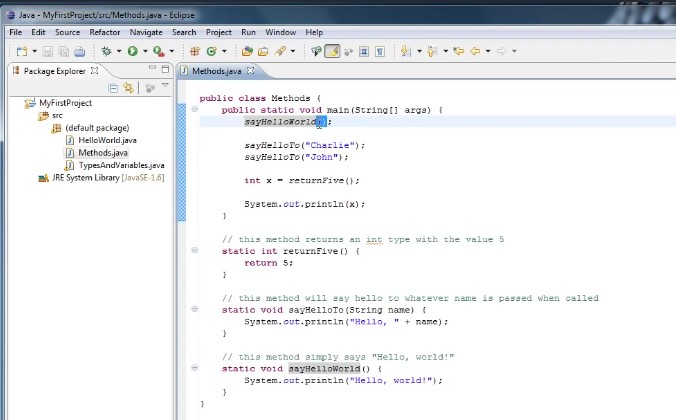
So we look at our system.out.printline, printline is actually a method that has been defined somewhere else and we’re simply using it in this tutorial we’ve made our own methods and we’ve called them now for one final example.
Let’s create a method that both returns a value and takes in data.
A good example of this sort of method might be similar to a function for mathematics where you would say that of X equals x times x. So this function is going to square the number.So how do we write that in Java of what’s coming out line out and go down below the main method and type static int because it’s going to return an integer and we’ll call the method square type parentheses. And inside of the parentheses type int x
Now you need an opening curly brace to enter type word return and then x times x semi-colon.
Now we go up to Main.
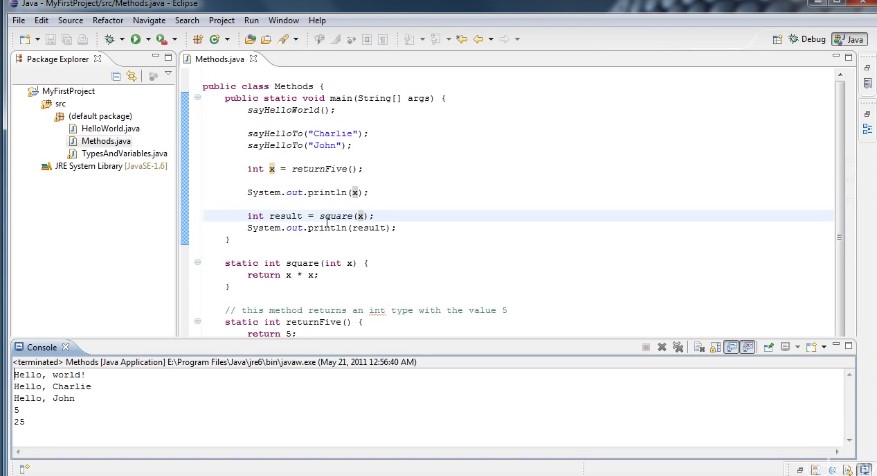
You can delete this line and let’s say end result equals square 5 and below that line will do is just an out and show of the value result is we can go ahead and run that and we’ll see that at the bottom here.
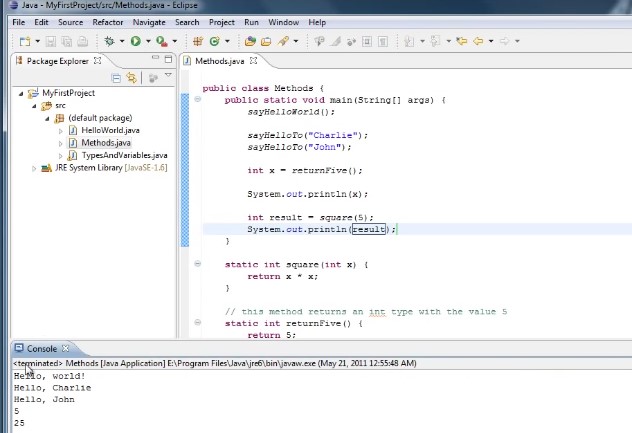
The last thing that’s printed out is 25 which is the result of 5 squared.
Now if we could also do instead of passing in 5 here we could pass x because X has the value of 5 from our previous method call. So if we were to replace 5 with X and run it again we would once again get 25.
However we could even take it a step further and this may confuse you but don’t worry about it too much. Instead of passing an X we could pass in return five
and we run that we’ll see that once again 25 at the console.
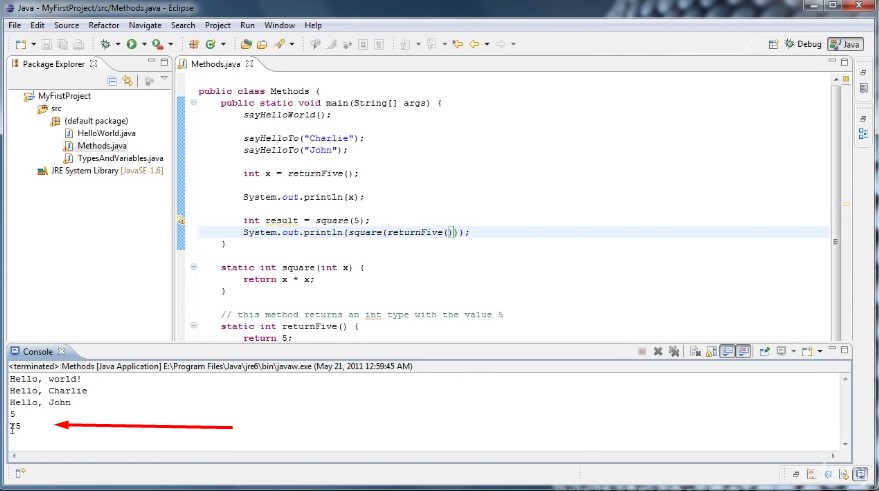
So what’s happening here is:
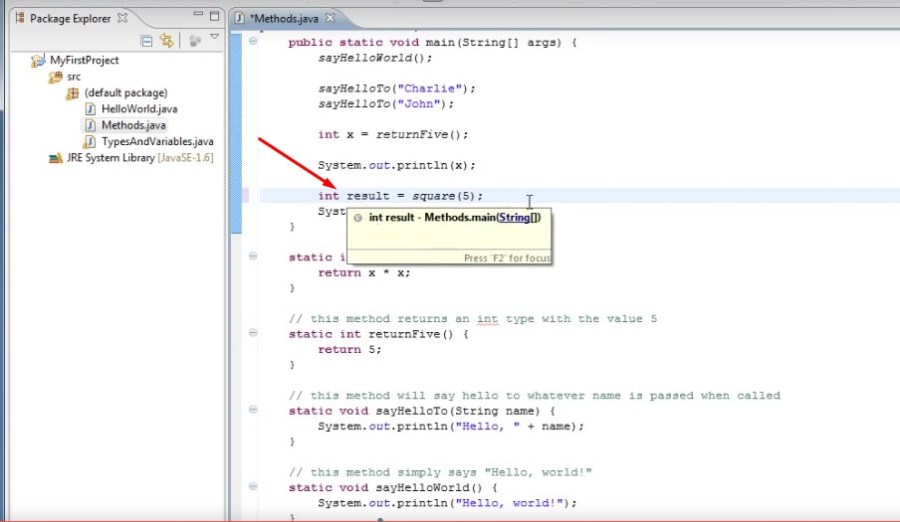
we get to this line of code we’re declaring an integer called: result
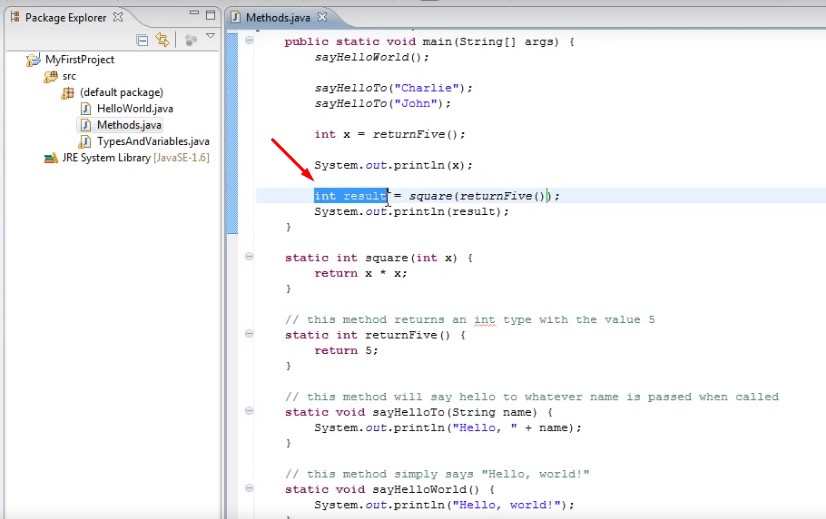
and we’re assigning to that variable what the right side of the equal sign evaluates to.
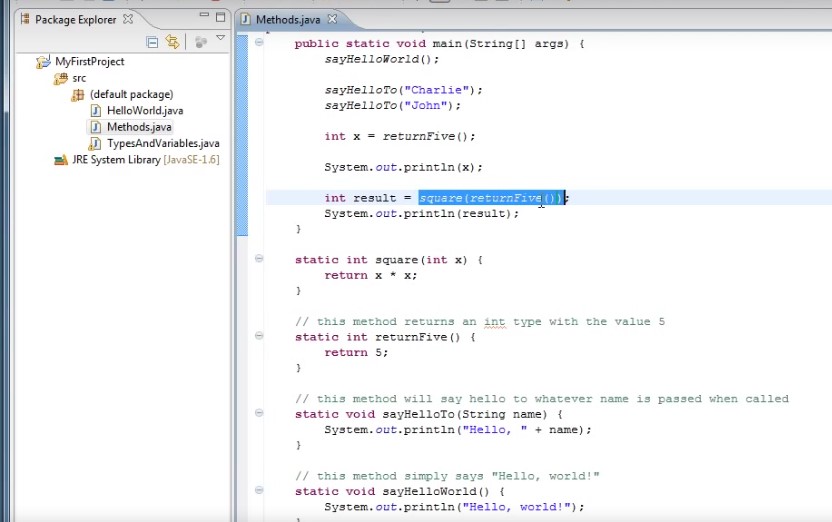
In order to evaluate this
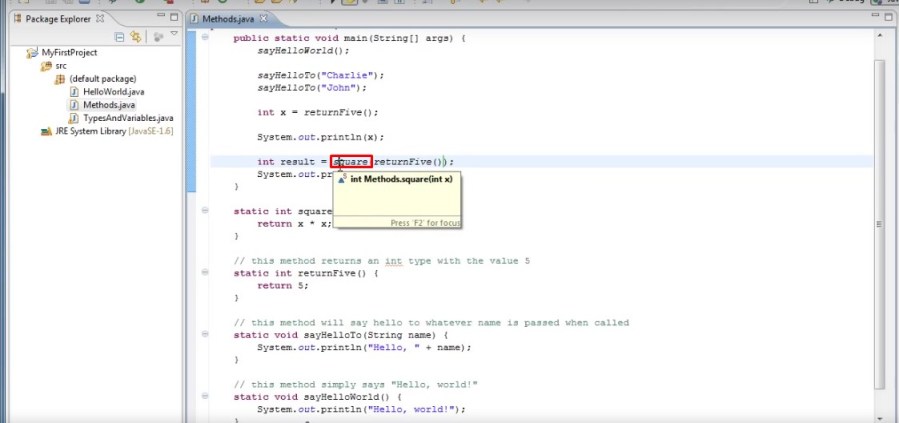
we first need to evaluate returnFive.
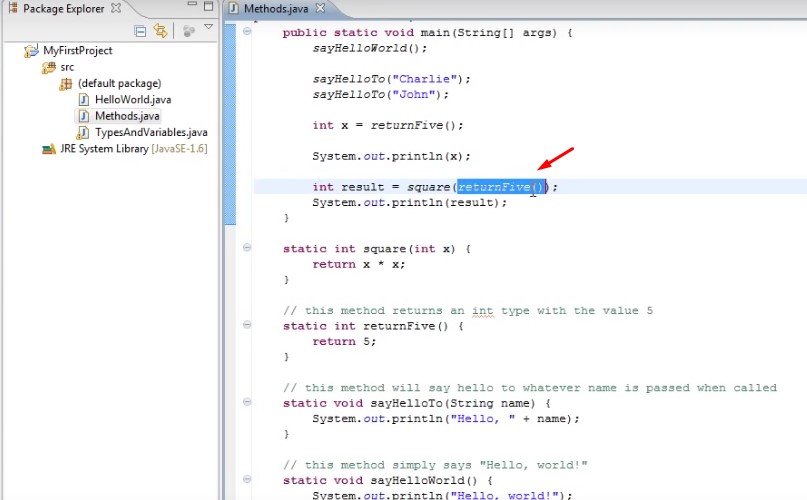
So we go into that function:

it returns of 5.
So 5 is placed in.
We then call square with the value of 5 which returns 5 times 5 which is 25
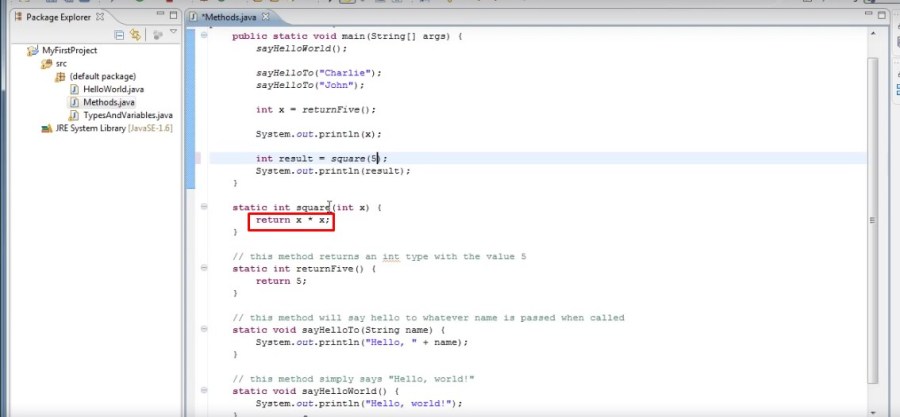 which ultimately gets assigned to result and then printed out.
Hopefully that didn’t confuse you too much. And if you’re wondering there is no limit to how far we could go with this. For example we could say in system that print line instead of printing the result we could print the square of return 5 and we can run it to ensure it works.
And once again 25 is printed to the console.

So what happens here as it goes to the innermost function call and evaluates that,

which is return 5,
So it goes down here,
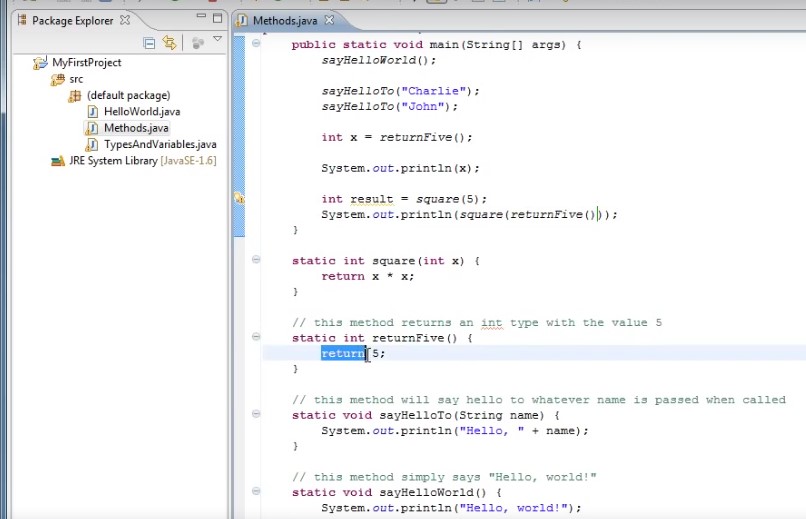
returns of 5,
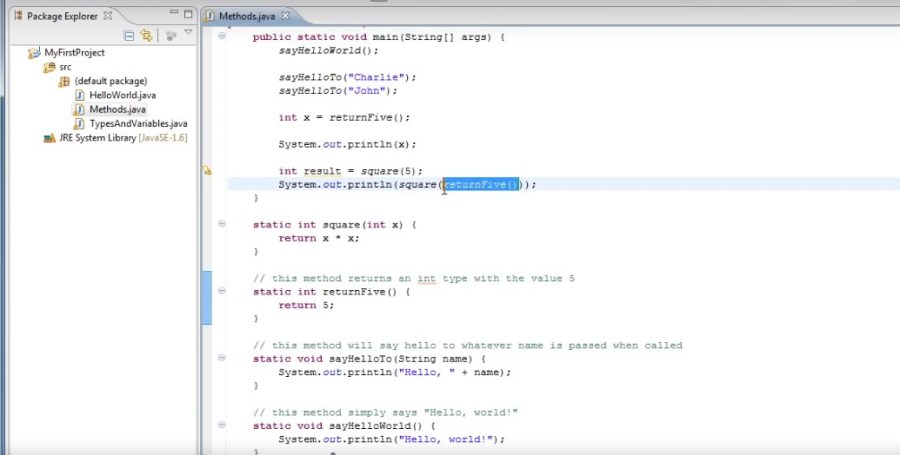
and this evaluates to 5.
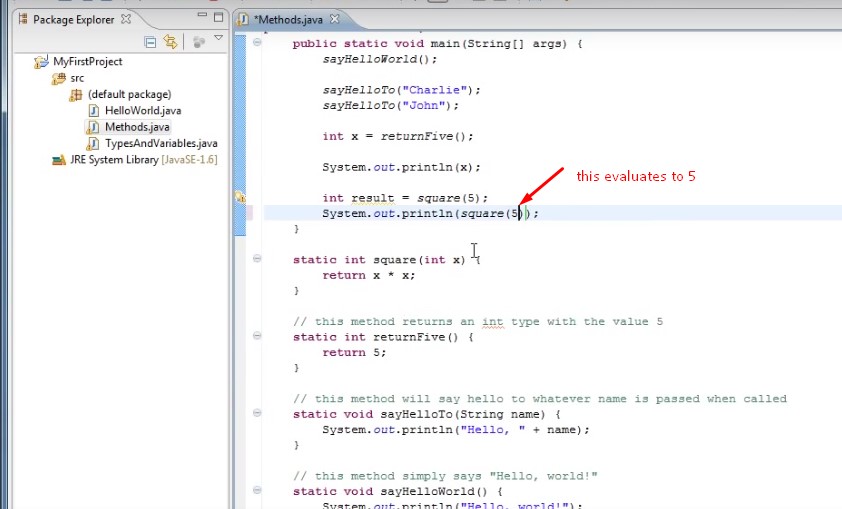
Now we’re calling square with the value 5, which goes down to this method and returns 5 times 5,
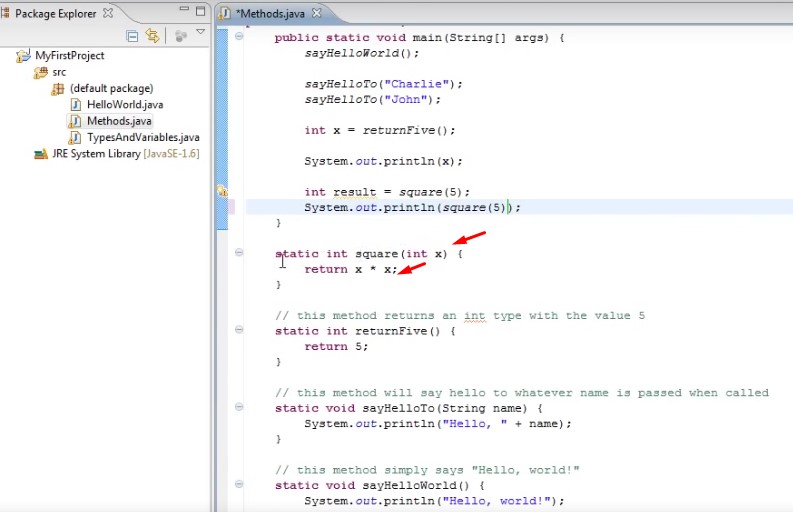
which is 25.
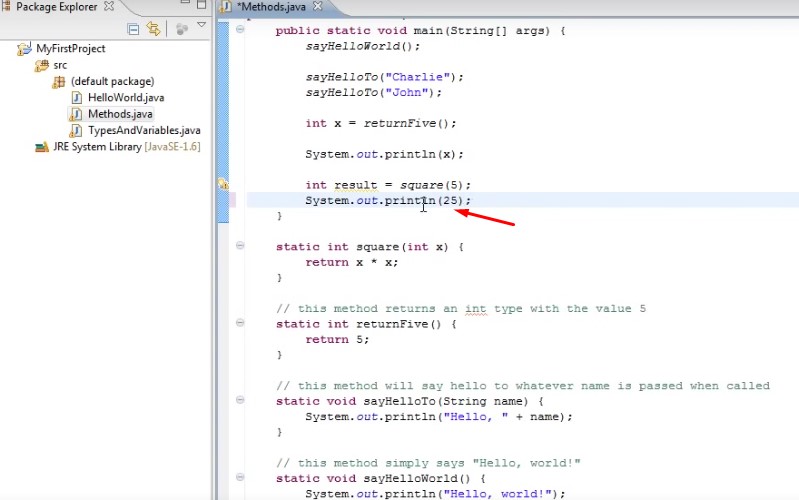
And that’s what gets printed out, 25.
Now normally that’s not very good coding style especially when you’re starting out but you are likely to encounter a code that looks like that.
So I thought it would be good to give you an example of it.
And let’s put a comment on this method and I’ll say
//this method both returns a value and takes in data.
So hopefully now you have some understanding of how to call and create methods.
Methods are like the basic building blocks of programs they help to manage complexity by isolating code that accomplishes a specific task.
If you’re having trouble understanding how everything works.
Don’t worry there will be plenty more examples as we go through future tutorials.
 DOM Frontend Javascript ES6+Node.JS+NPM+HTML5+CSS+Webpack+NPM